 Malaysia
 Singapore
 Thailand

As the Y2K (2000s) and vintage aesthetics continue to trend, people understandably seek out ways to replicate the nostalgia of the past, one prominent example being the resurgence of digital and film cameras.
If you also enjoy the gritty and imperfect beauty of photos taken using those cameras, but haven’t bought one to try out, here are the 10 best applications you can download on your mobile phone. These applications emulate the look of such cameras, at the convenience of a digital device you currently own.
What makes the best app to replicate the digi-cam and/or film aesthetic?
Here are the main factors to consider when choosing the app most suited for you.
- The variety of filters the app offers: Check for the variety of filters and styles the app offers so that it can be versatile in use.
- How easy it is to use: Ensure the app’s interface is easy to use or complicated with many steps before the shutter can be pressed.
- How realistic it looks: Compare how the images from the apps look against pictures taken using the actual camera.
- Is the app free to use: Some apps may have certain features behind a paywall, limiting the type of filters available for use.
- Photo import flexibility: Some apps may allow you to import your own images into it, so photos previously taken can also be adjusted to have the desired camera aesthetic.
Here are the 10 best apps to replicate the digital camera or film camera aesthetic, according to our research and personal experiences. They are not numbered by quality or ability, so pick the app that best suits your individual aesthetic goals you want in your pictures.
| Name | Best for | Photo import | Key highlight |
|---|---|---|---|
| Dazz Cam | Switching between film, CCD and Polaroid styles | Yes (selected cameras) | Wide range of camera styles with photo and video support |
| Huji Cam | Disposable camera look with minimal setup | No (free version) | Signature light leaks and 1998-style date stamp |
| NOMO CAM – Point and Shoot | Interactive analogue shooting | No (free version) | Automatic film effects and Polaroid-style development |
| FIMO – Analog Camera | Authentic 35mm film aesthetics | Yes (selected cameras) | Film roll interface with dust, scratches and light leaks |
| OldRoll – Vintage Film Camera | Variety of vintage camera styles | Yes (selected cameras) | Film, CCD and disposable camera emulations with video support |
| Film Cam: Vintage Camera | Fine-tuning photos before shooting | Yes (selected cameras) | Live preview with editable negatives and lens effects |
| CCD Cam – Digital Dazz Cam | Y2K digital camera effects | Yes (selected cameras) | CCD, vintage and instant camera styles with built-in adjustments |
| LoFi Cam: Film Digital Camera | Y2K, VHS and retro digital effects | Yes (selected cameras) | CCD cameras, VCR overlays and adjustable shooting controls |
| Kada Cam – Vintage Camera | Customising film-style effects | Yes (selected cameras) | Adjustable grain, light leaks, dust and film-style frames |
| KAPI Cam – Y2K & CCD Camera | Mixing Y2K filters with post-editing | Yes (selected cameras) | CCD, DV and film effects with borders and timestamps |
1. Dazz Cam
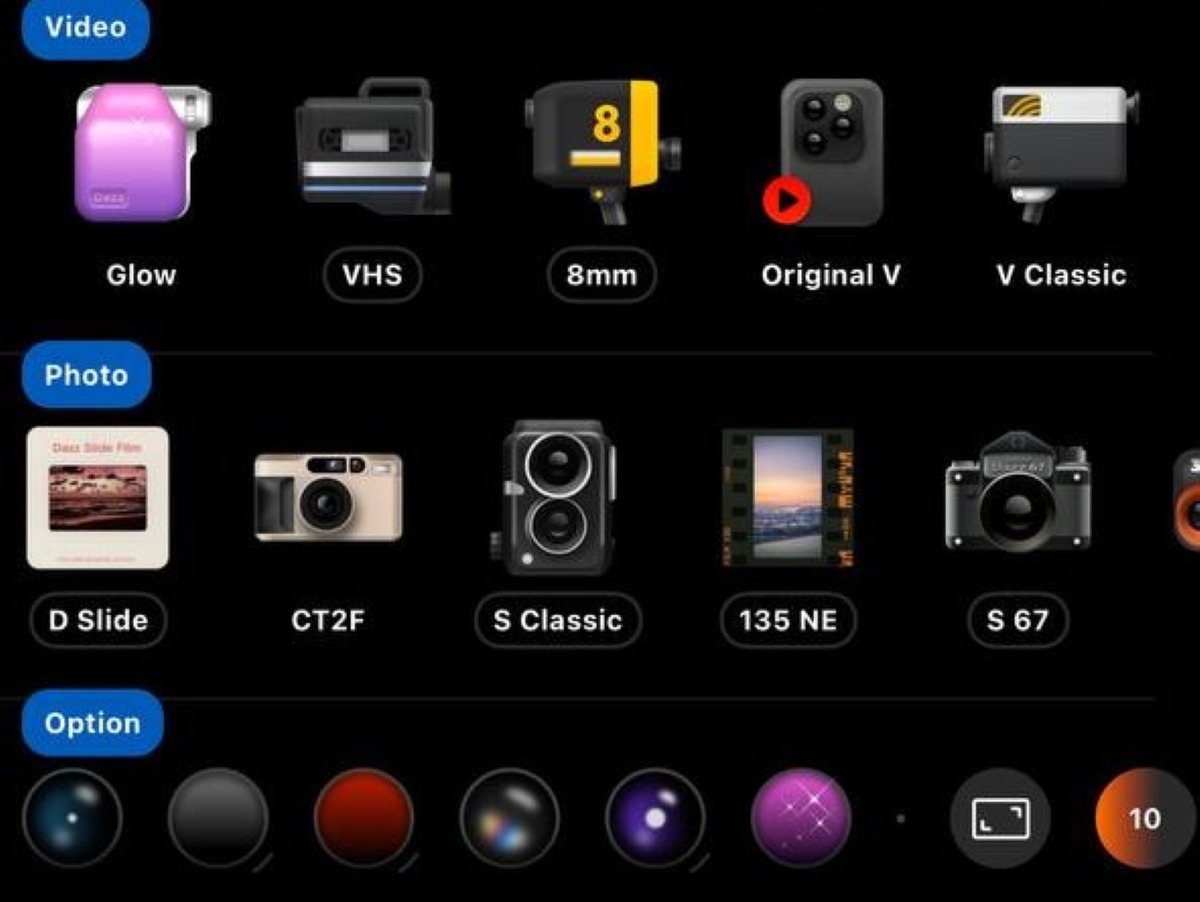
Dazz Cam is one of the more popular apps used to replicate the aesthetic of a digital or film camera with your own mobile phone. Take your desired photo within the app itself, and vintage-looking photos or videos will appear, with no need for the hassle of post-editing.
I find that Dazz Cam has a wide variety of camera styles, but for the vintage retro aesthetic lovers, try out their 35mm film or 120 film camera for that nostalgic grainy appearance. For the Y2K (2000s) lovers, try out their digital cameras, including cameras such as CCD cameras for a high-contrast, slightly blurry look. For the polaroid lovers, there are also cameras to use, with the signature unpredictable lo-fi quality still present. Beyond pictures, you can also take videos with Dazz Cam, making it a versatile app to use.
Dazz Cam also allows you to import your existing photos for editing within the app, but only on select cameras. You can purchase Dazz Pro at S$9.98 a year or S$29.98 at a one-time purchase to unlock more cameras and functions as compared to the free version. Unfortunately, Dazz Cam is only available for download on iOS.
2. Huji Cam
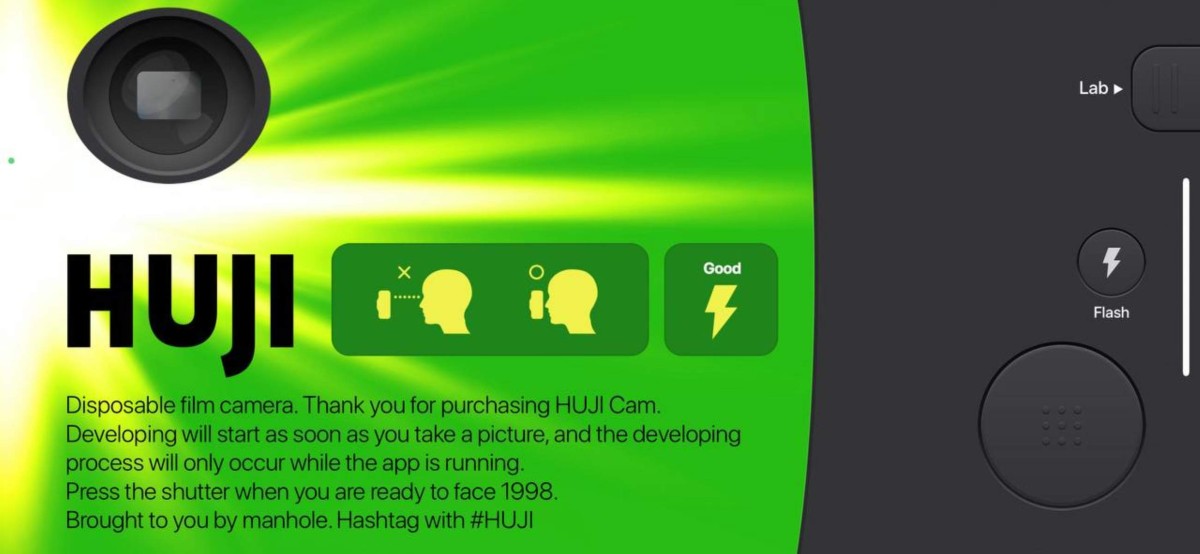
Huji Cam is also fairly well-loved, with it mimicking the retro 90s aesthetic with their disposable camera style effect. The interface is unique, with the mobile screen looking like a camera, and users will have to double-tap the ‘viewfinder’ part of the camera to enlarge your view while taking a picture.
Huji Cam does not have any other selectable camera styles to choose from; however, you can opt for light effects to be switched on or off. When switched on, the signature light leak look will unpredictably show up in your pictures, making every photo a surprise to look at. The app also has a flash which you can switch on or off, often resulting in random bright colour streaks and bokeh. Lastly, to pay full homage to the retro aesthetic, every picture will have a bright orange timestamp imprinted in the bottom corner, with your month and date but ‘98’ for the year.
Huji Cam does not allow existing photos in your gallery to be imported for editing on their free version; you can pay a one-time payment of S$0.98 to unlock more features.
Apple App Store | Google Play Store
3. NOMO CAM – Point and Shoot
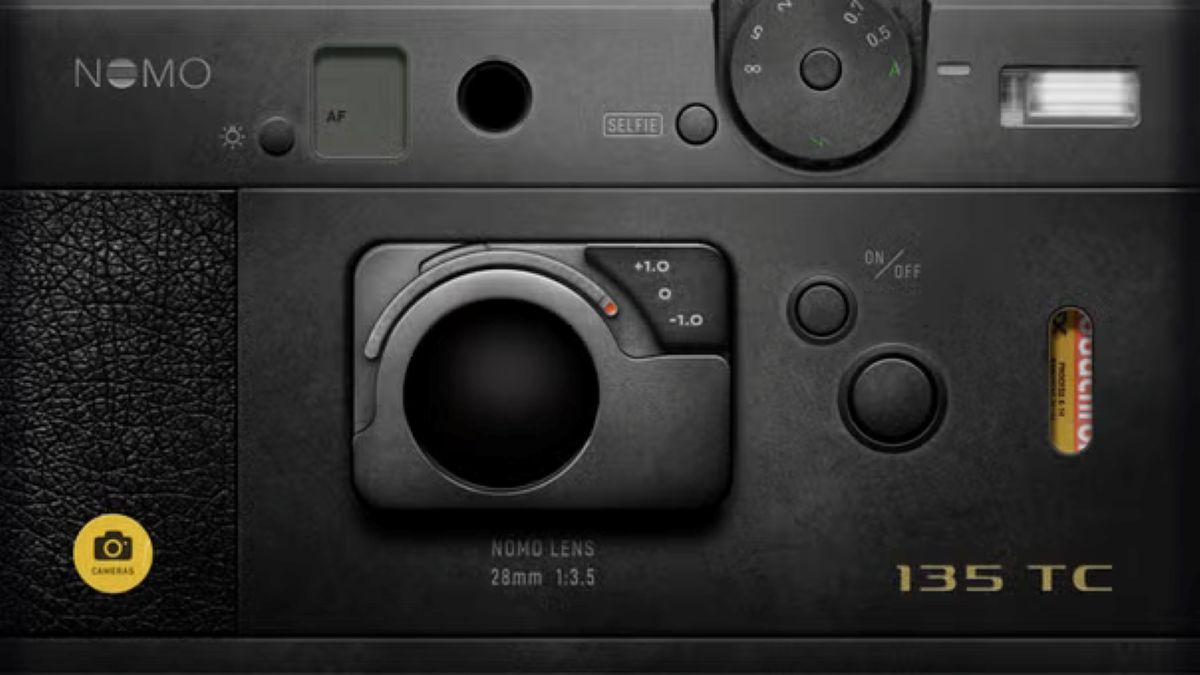
NOMO CAM has a user-friendly interface as well, with it being a point-and-shoot app mimicking film, disposable, and polaroid cameras and more.
NOMO CAM has a couple of varieties of film camera styles to play with, ranging from old disposable camera styles to polaroid styles. The app is also interactive, which is interesting, in my opinion. Fr example, when taking a polaroid, I can shake my device to develop the picture faster, just like how one would when taking a real physical polaroid picture. Pictures taken on NOMO CAM will also automatically have their appropriate analogue presets such as light leaks, grains and more applied, so you save time on post-processing and get a unique photo with different effects each time.
NOMO CAM does not allow existing photos in your gallery to be imported for editing on its free version. Selected cameras can be used by purchasing their NOMO PRO membership at S$34.98 a year, while others are available with a one-time payment of varying costs.
Apple App Store | Google Play Store
4. FIMO – Analog Camera
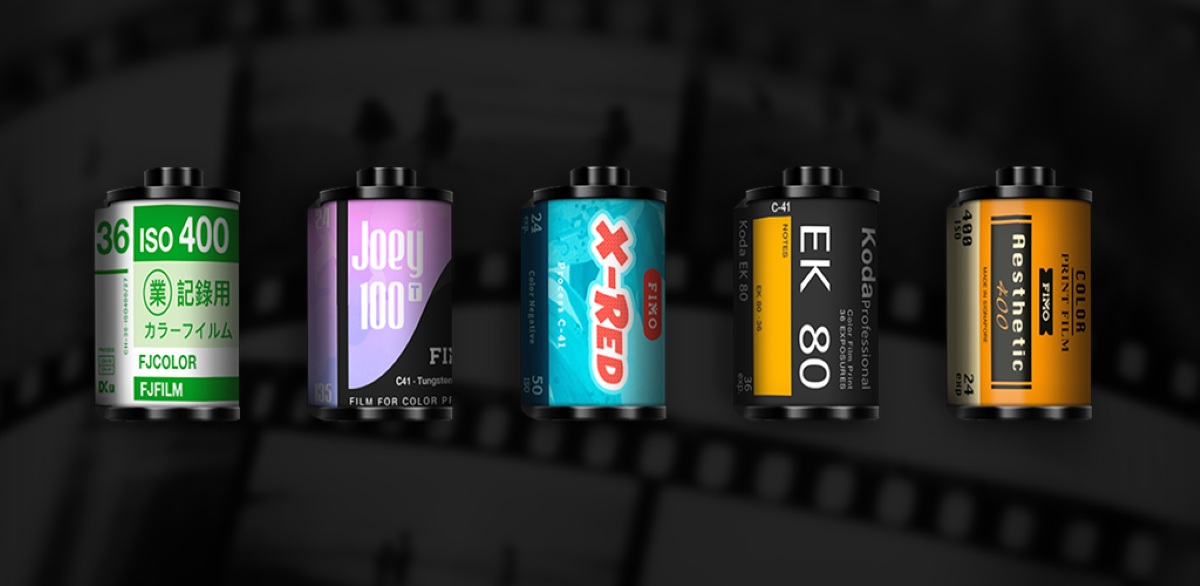
FIMO is also a point-and-shoot app that has a large library of 35mm film effects replicating the look of old-school films. The app interface itself resembles a camera, with the selected film effect on the bottom left corner of the app.
FIMO provides a couple of free film effects to take pictures with, including a black and white film. The app provides a unique experience as the pictures you take appear part of the film’s roll, and also as a negative, creating a more authentic experience while photo taking. Pictures taken will also have automatic application of effects, such as dust and scratches, light leaks, adding to the vintage look and feel of the pictures.
FIMO allows for existing photos in your own gallery to be imported on their free version on selected film cameras. For extra cameras and editing materials, you can subscribe to Fimo Pro at S$39.98 a year or at S$99.98 for a one-time payment.
Apple App Store | Google Play Store
5. OldRoll – Vintage Film Camera
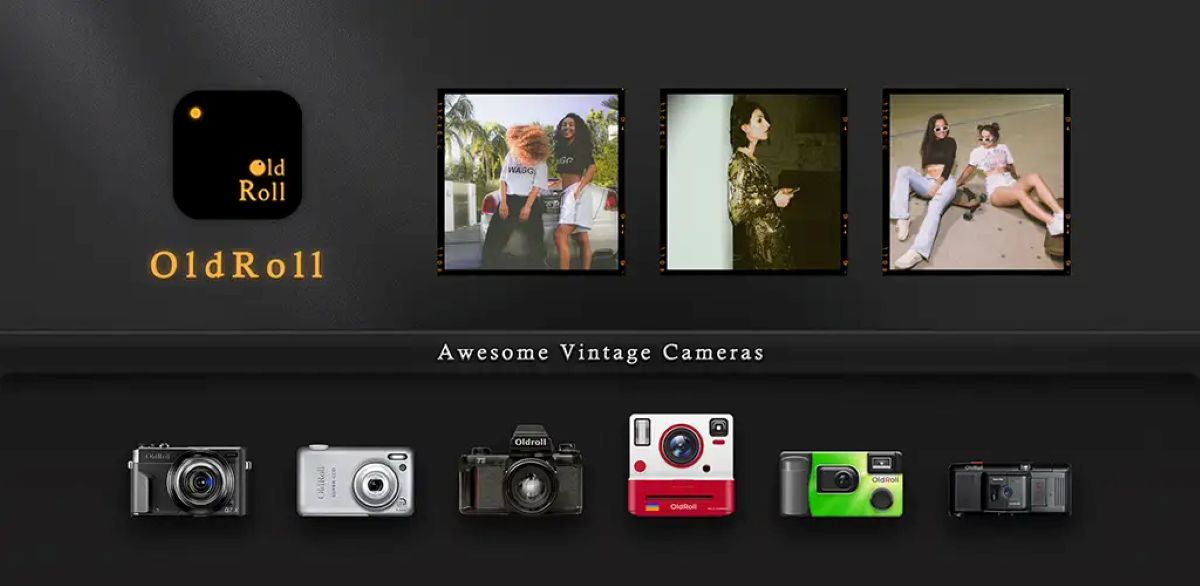
OldRoll has multiple cameras available, so I can replicate a variety of camera styles, from digital CCD cameras to disposable cameras. The app interface is a camera, with flash and zoom features.
OldRoll has certain cameras which support both photography and videography, creating a more versatile usage for the app. OldRoll also removes the need for post-editing, with the app allowing photos to be taken in-app and having instant effects such as vignettes and film grains instantly applied once the photo is taken. The app interface itself mimics an actual camera, with each different camera style chosen displaying a different screen resembling the actual camera, along with a viewfinder.
OldRoll allows for existing photos in your own gallery to be imported on their free version on selected film cameras. To unlock all cameras and editing functions such as filters and lenses, you can subscribe to OldRoll Pro at S$20.98 a year.
Apple App Store | Google Play Store
6. Film Cam: Vintage Camera
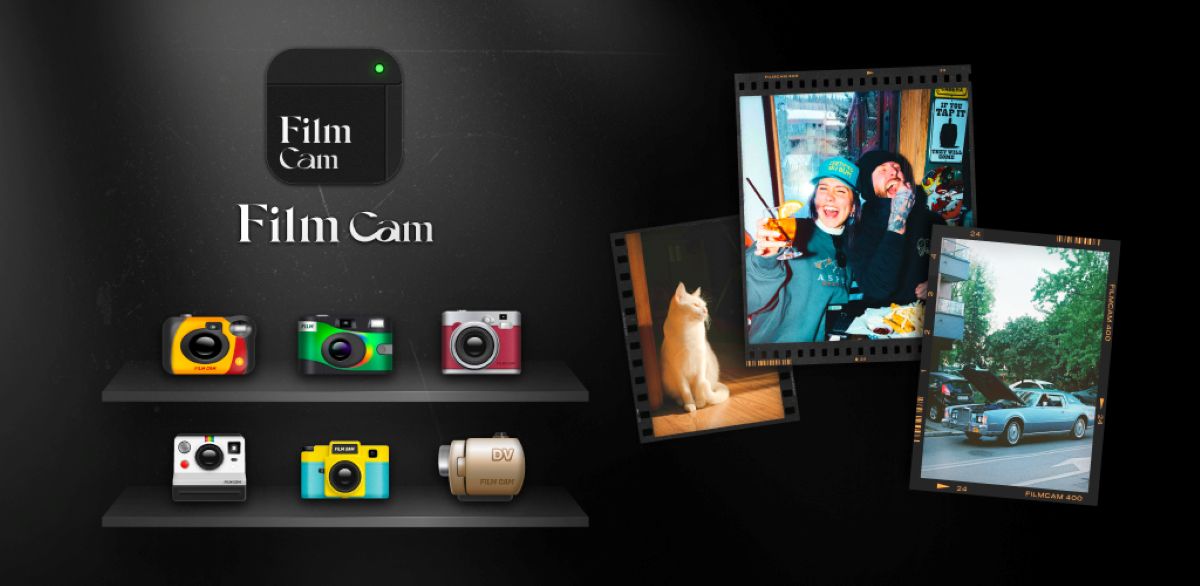
Film Cam has a large variety of cameras to choose from, from classic cameras to toy cameras to instant cameras. The app also has a collection of filters such as double exposure and fish-eye lens filters one can select before taking a picture, which will automatically be applied to the final picture taken.
Within the app itself, there will be a real-time preview available before you actually click the shutter, allowing you to adjust and check if the picture is as you desire before you shoot. This also negates post-editing as the appropriate camera effects are already applied while you are taking the picture. You can also keep the negatives to edit your pictures, such as changing the camera filters and effects, cropping and rotating. This allows for easy usage as you can freely modify your picture whenever you need.
Film Cam allows existing photos in your own gallery to be imported on their free version on selected film cameras. To unlock all premium features such as more filters and lenses, you can subscribe to Film Cam Pro at S$5.98 for a month, S$9.98 for a year or at S$29.98 for a one-time payment. Film Cam is unfortunately also only available on iOS.
Best compact cameras: Pocket-sized powerhouses of photography
7. CCD Cam – Digital Dazz Cam
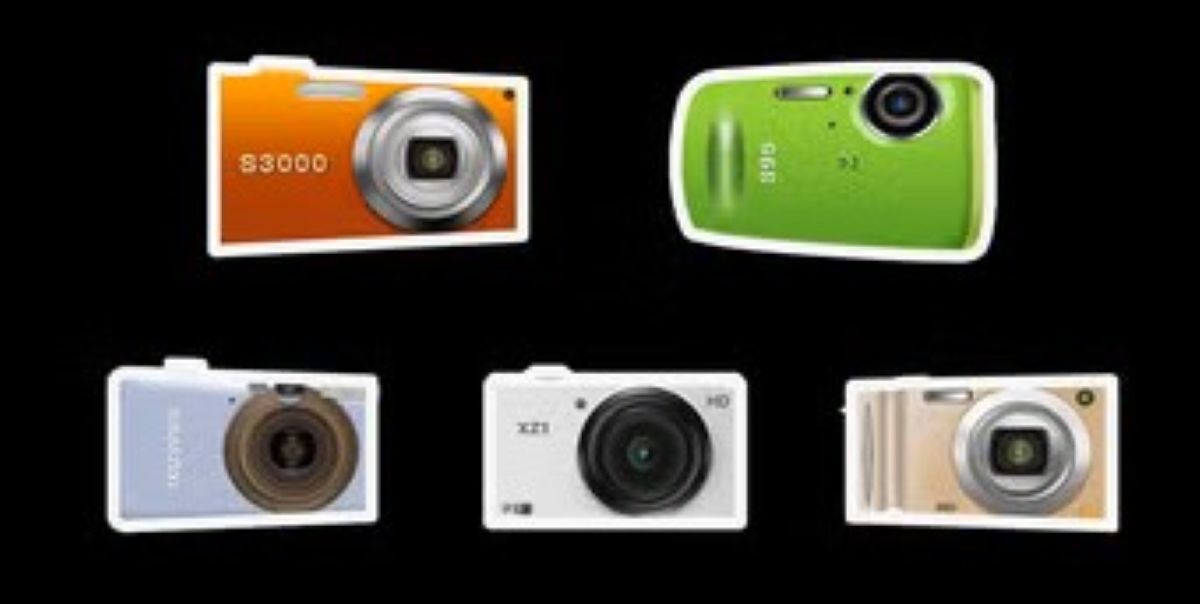
CCD Cam provides a wide collection of cameras to use, ranging from digital, vintage and instant cameras. The app also has frames available to select to apply to the picture, adding to an authentic analogue effect.
The app’s menu has a beauty and exposure feature, so you won’t have to edit after your final picture is finished. It also has a zoom function, which I appreciate as I can get a closer shot of my subject without having to move physically. Additionally, it combines both modern and old-school camera styles, and also has a live photo function.
Film Cam allows for existing photos in your own gallery to be imported onto selected film cameras in the free version of their app. To unlock all premium features such as more filters and lenses, subscribe to CCD Cam Pro at S$3.99 a year or at S$6.99 for a one-time purchase, only available on iOS.
8. LoFi Cam: Film Digital Camera
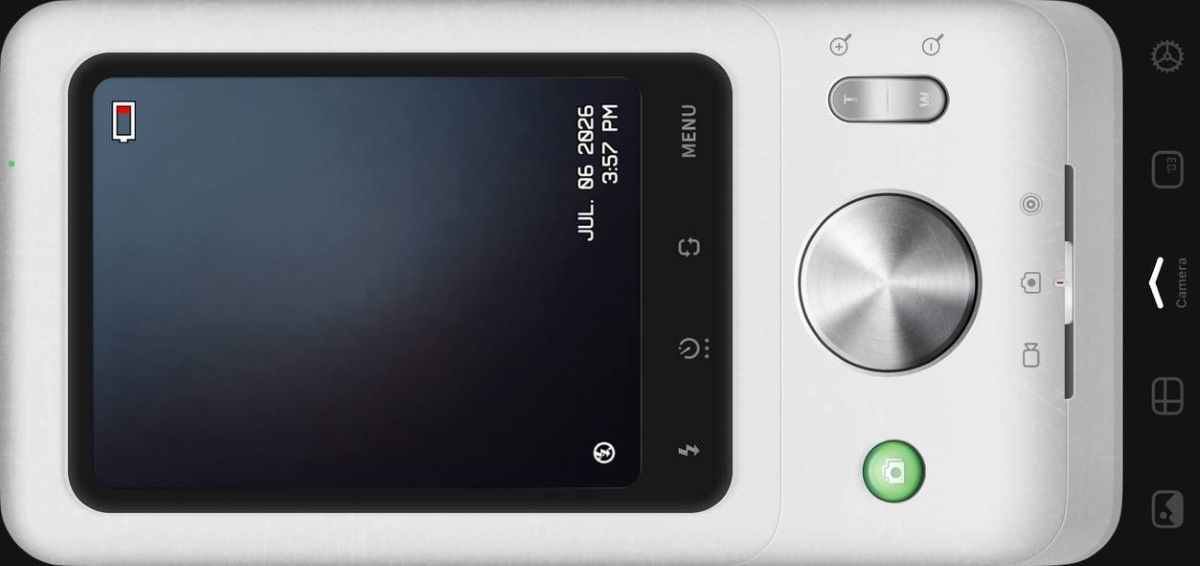
LoFi Cam has cameras which replicate both CCD digital cameras and classic film camera aesthetics. Their cameras range from replicating Y2K styles to replicating vintage photobooths and black and white cameras.
The app also has filters available to play around with, such as filters imitating a retro VCR recorder screen and an analogue digital screen display with timestamps. Features such as a countdown timer, zoom, blur and exposure adjustments are also available, allowing you to create your perfect picture. Pictures will be taken directly from LoFi Cam through a live viewfinder; thus, you also save time on post-editing as the effects of your chosen camera are automatically applied.
LoFi Cam allows for existing photos in your own gallery to be imported from selected film cameras in the free version of their app. To unlock all premium features, subscribe to LoFi Cam Pro at S$5.98 for a month, S$9.98 for a year and S$29.98 for a one-time purchase.
Apple App Store | Google Play Store
9. Kada Cam – Vintage Camera
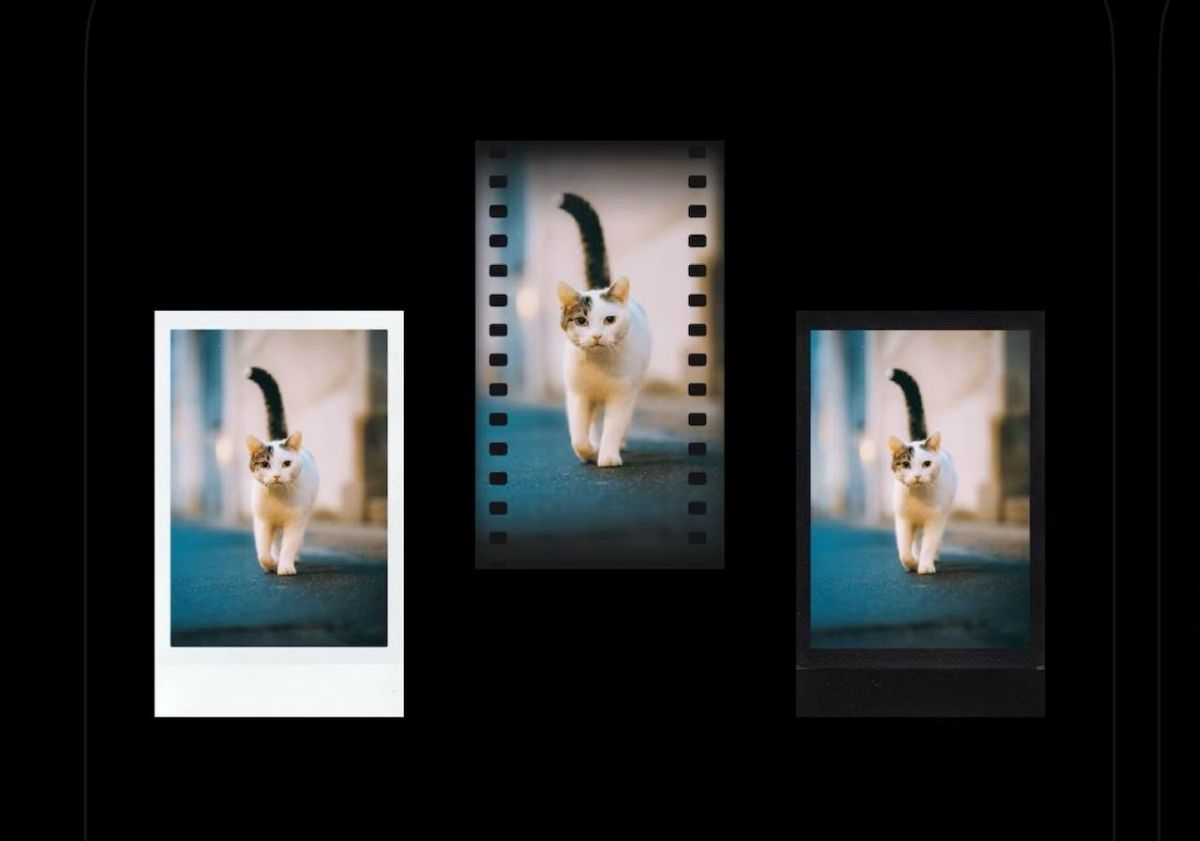
Kada Cam provides a plethora of film filters to choose from for the vintage camera film aesthetic. The app also has 5 effects available for use: datestamps, light leaks, grain, dust and colour leaks. These 5 effects are all adjustable to your own liking, allowing you to freely customise and create your own perfect film picture.
The app also has frames available to use. For example, if you wish to make your picture resemble a polaroid or a film strip, Kada Cam can help you to do so without post-editing required, as the effect is within the app. Additionally, flash, zoom and timer functions are also available, along with a composition grid to aid in taking better pictures.
Kada Cam allows for photos to be imported on selected film cameras in the free version of their app for you to edit. To unlock all premium features such as extra film, frames and effects, subscribe to KADA Pro at S$19.98 for a one-time purchase, available only on iOS.
10. KAPI Cam – Y2K & CCD Camera
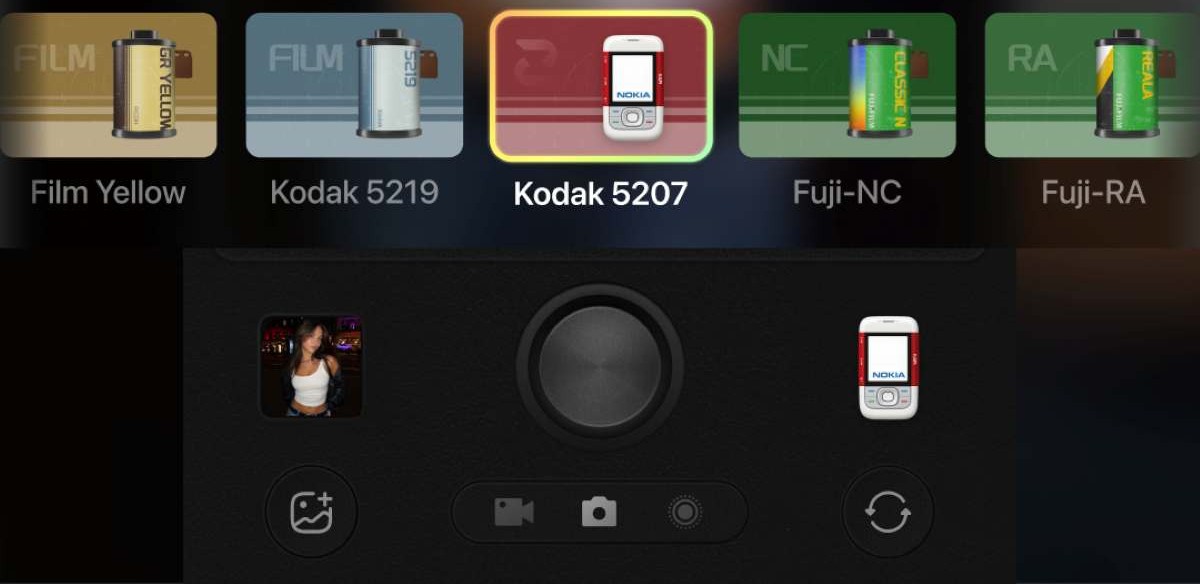
KAPI Cam replicates DV, CCD and film camera effects, making the app versatile in use. From filters mimicking vintage phones, CCD cameras, instant cameras and vintage cameras, KAPI Cam has a wide variety.
KAPI Cam also has different functions to help you, such as a timer function, composition grid, levelling and ratio, as well as a beautify function. While taking the photo, you can apply effects such as a watermark effect where you can apply timestamps onto your pictures. Once your desired photo is taken, KAPI Cam also has extra effects you can add to your picture in post-editing. For example, there is a border effect featuring options like a film border.
KAPI Cam allows for photos to be imported on selected film cameras in the free version of their app for your own usage. To unlock all premium features such as extra filters, subscribe to KAPI Pro at S$3.98 a month or S$29.98 a year.
Apple App Store | Google Play Store
How to choose the right vintage camera app for your style
Choose an app based on the type of camera aesthetic you want and how you prefer to shoot. Dazz Cam and OldRoll suit those who want a broad selection of digital, film and instant camera styles without switching between multiple apps.
If recreating the look of disposable cameras is the priority, Huji Cam and NOMO CAM keep the experience simple with automatic effects and minimal editing. For a more authentic film workflow, FIMO and Kada Cam focus on classic film stocks and analogue-inspired details.
If you prefer editing existing photos or experimenting with Y2K CCD effects, LoFi Cam, CCD Cam and KAPI Cam offer greater flexibility. The right choice ultimately depends on whether you value simplicity, realism or creative control.
People also read: